
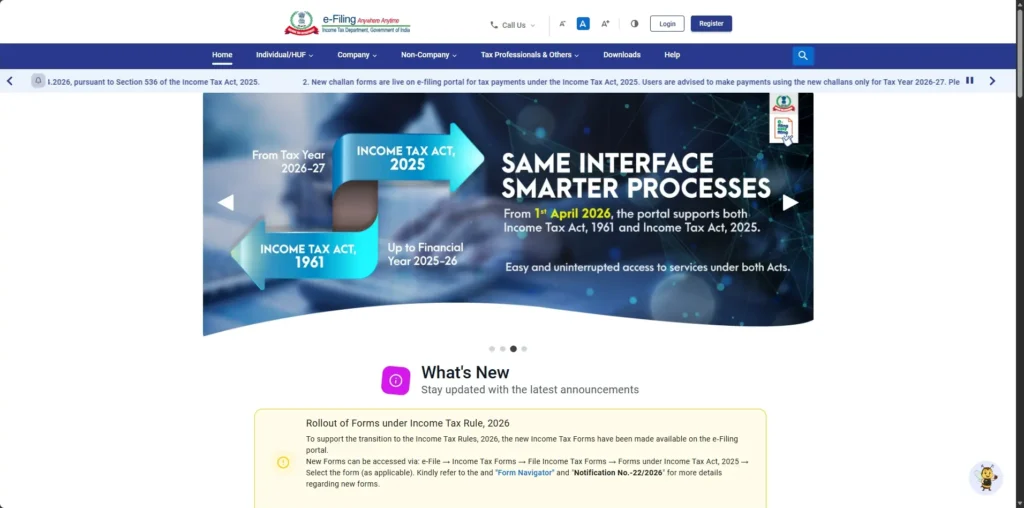
Income Tax E-Filing Portal 3.0: Major Updates for Income Tax Act 2025
The Income Tax Department has significantly upgraded the e-Filing portal (www.incometax.gov.in) to support the newly effective Income Tax Act 2025 (effective from 1st April 2026). Although the tax department has not officially named it “E-Filing Portal 3.0”, tax professionals and users have started referring to this revamped version by that name due to its modern interface and seamless integration of both the old and new tax laws viz, the Income Tax Act, 1961 and the Income Tax Act, 2025.
These updates introduce an integrated payment system, a complete shift to Tax Year (TY) terminology, and a convenient challan correction feature. Here’s everything you need to know to stay compliant and avoid common pitfalls.
1. Integrated Payment Options for Both Income Tax Acts
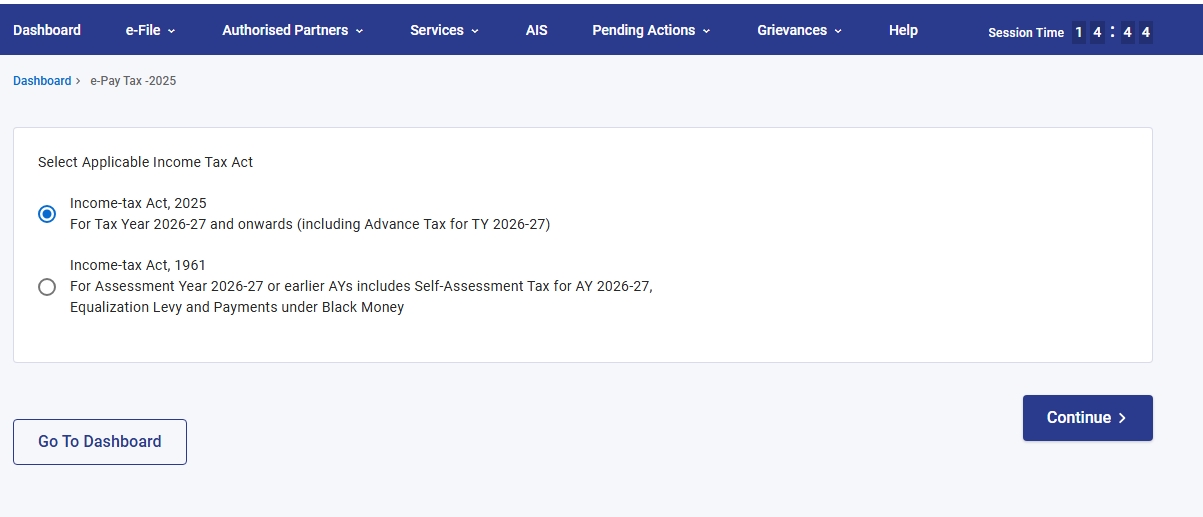
The portal now features a unified payment gateway that supports payments under both the Income Tax Act 1961 and the Income Tax Act 2025.
- Payments under Income Tax Act 1961
- Payments under Income Tax Act 2025
This bifurcation prevents mixing of credits between the two Acts. Always select the correct Act while making advance tax, self-assessment tax, or demand payments.
How to Access E-Pay Tax:
On the e-Filing portal, go to E-File → E-Pay Tax → Select the appropriate Act under which the payment is being made.
 Go to Official E-Filing Portal →
2. Full Shift from Assessment Year (AY) to Tax Year (TY)
The portal has been completely aligned with the new Act’s terminology. All forms, dropdowns, and payment screens now use Tax Year instead of Assessment Year.
⚠️ Important: Paying under the wrong Act or selecting an incorrect Tax Year can lead to tax credit mismatch, unexpected demands, and potential litigation. Always double-check before confirming payment.
3. Challan Correction Feature on the Portal
To make compliance easier, the income tax portal now offers a built-in **Challan Correction** facility for rectifying mistakes quickly. However, the portal levies a time limit within which the correction has to be undertaken in order to be made Online.
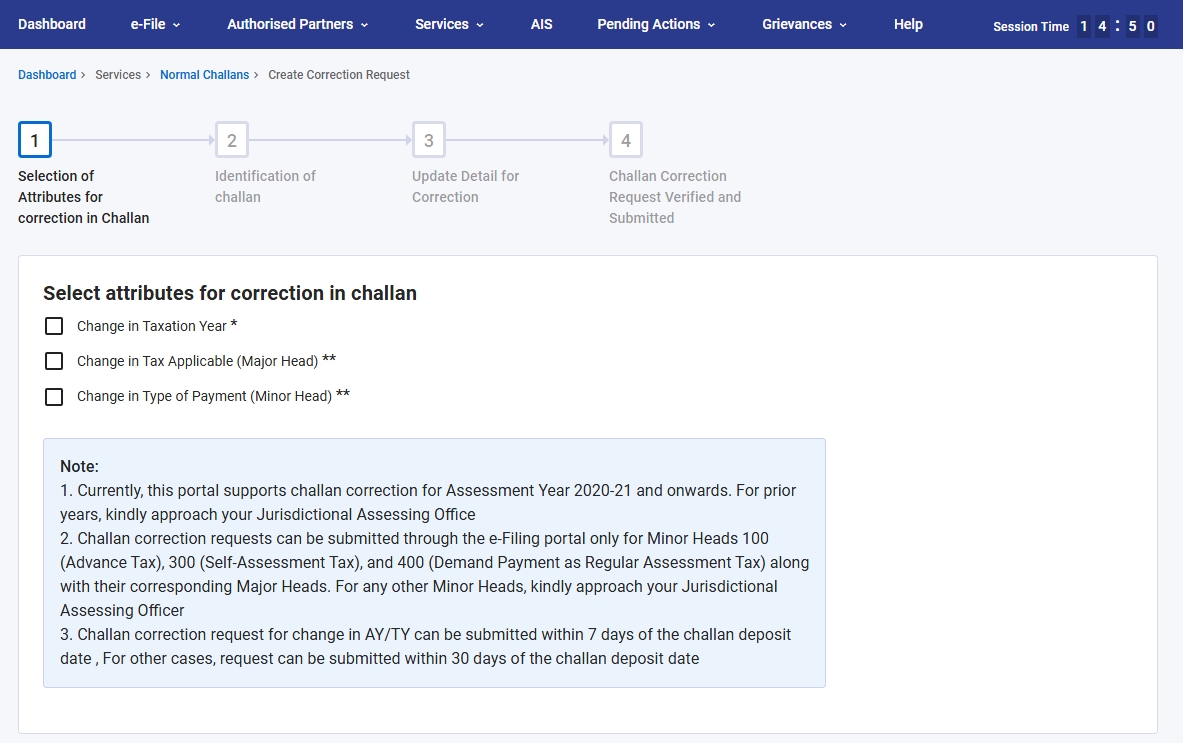
Supported Corrections (via Portal): Only for Minor Heads 100 (Advance Tax), 300 (Self-Assessment Tax), and 400 (Demand Payment as Regular Assessment Tax) along with their corresponding Major Heads.
How to Access Challan Correction:
Go to Services → Challan Correction → Select the type of correction required.
Timelines:
- Request for change in AY/TY → Must be submitted within 7 days of challan deposit date.
- Other corrections → Can be submitted within 30 days of challan deposit date.
Note: Corrections for other Minor Heads must still be routed through your Jurisdictional Assessing Officer (JAO).
Also know that, corrections can always be sought against any challan through the Jurisdictional Assessing Officer, without any time limit provided that the challan is not utilised against any liability.
Explore More on Income Tax Act 2025
Stay ahead with comprehensive resources from TaxRoutine:
Need Expert Help with the New Portal?
At TaxRoutine, our team is fully updated with the revamped E-Filing Portal and the Income Tax Act 2025. We help with:
- Correct payment allocation under both Acts
- Challan corrections
- ITR filing under the new regime